

宿主/Service
使用 Nginx 缓存加速 WordPress 博客站点
 PetitQ
收藏

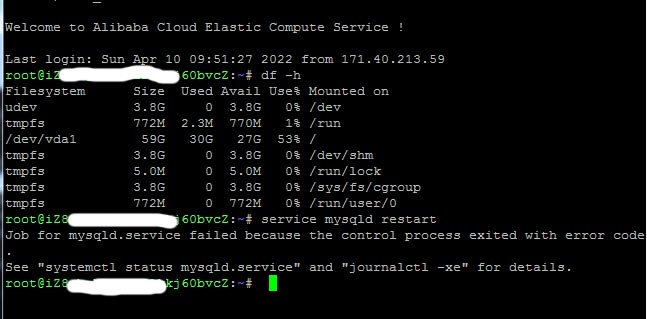
通常博客类型的小站,主要记录学习和使用过程中遇到的问题及解决方案。文章风格偏向自娱自乐,因此访问量较少,一台 1 核 1G 的 vps 足以支撑网站的正常运行。用的 WordPress 程序,尝试过安装各种缓存插件(super cache, w3 total cache 等)加速运行,但是低配的 vps 依然难以支持这么大的访问量。通过日志可以看到随着访问量的增加,php-fpm 进程增多,Mysql 的连接和线程增多,接着出现 OOM,然后系统 kill 掉占用内存最大的 Mysql 进程,于是网站进入 503 宕机模式。
买更好的 vps 能解决访问量大的问题,但是要花更多的钱。做为一个技术宅,首先想到的当然是如何榨干现有机器来支撑大流量。做过的尝试包括切换到比 WordPress 性能更好的 Ghost,参考:尝试 Ghost。但是相对于 WordPress,Ghost 的生态远没有那么成熟,最终放弃了。
也想出现在这里?联系我们吧

左思右想下,终极解决办法是用 Nginx 缓存,最初的文章可参考:Nginx 配置 fastcgi cache。fastcgi_cache 的好处是大部分用户的请求不用后端 php-fpm 打交道,直接发送缓存的静态页面,速度上甩各种 WordPress 插件好几条街!相比之下 wordpress 的各种插件还要执行 php,也避免不了访问数据库,弱爆了!
自从使用了 nginx 缓存,网站平稳运行,再也没有出现过宕机的现象。同时 vps 的 cpu 和内存占用率直线下降,再也无需担心 vps 的配置问题,感觉再来 10 倍流量博客也撑得住!
因为 nginx 稳如狗的体验,所以现在对于博客类读多写少的产品都是强推 nginx 缓存(fastcgi 缓存或者 proxy 缓存)。鉴于可能帮到一些网友,现贴出 /etc/nginx/nginx.conf 配置文件供网友参考(包含 ssl 设置和 gzip 部分):
# 文件: /etc/nginx/nginx.conf# For more information on configuration, see:# * Official English Documentation: http://nginx.org/en/docs/# * Official Russian Documentation: http://nginx.org/ru/docs/user nginx;
worker_processes auto;
error_log /var/log/nginx/error.log;
pid /run/nginx.pid;
# Load dynamic modules. See /usr/share/nginx/README.dynamic.include /usr/share/nginx/modules/*.conf;
events {worker_connections 1024;}http {log_format main '$remote_addr - $remote_user [$time_local] "$request" ''$status $body_bytes_sent "$http_referer" ''"$http_user_agent" "$http_x_forwarded_for" "$request_time"';access_log /var/log/nginx/access.log main buffer=32k flush=30s;
server_tokens off;
client_max_body_size 100m;
sendfile on;
tcp_nopush on;
tcp_nodelay on;
keepalive_timeout 65;types_hash_max_size 2048;include /etc/nginx/mime.types;
default_type application/octet-stream;# ssl配置ssl_protocols TLSv1.2 TLSv1.3;
ssl_ciphers ECDHE-RSA-AES256-GCM-SHA512:DHE-RSA-AES256-GCM-SHA512:ECDHE-RSA-AES256-GCM-SHA384:DHE-RSA-AES256-GCM-SHA384:ECDHE-RSA-AES256-SHA384;
ssl_ecdh_curve secp384r1;
ssl_prefer_server_ciphers on;
ssl_session_cache shared:SSL:10m;
ssl_session_timeout 10m;
ssl_session_tickets off;
ssl_stapling on; # Requires nginx >= 1.3.7ssl_stapling_verify on; # Requires nginx => 1.3.7add_header Strict-Transport-Security "max-age=63072000; preload";#add_header X-Frame-Options DENY;add_header X-Frame-Options SAMEORIGIN;
add_header X-Content-Type-Options nosniff;
add_header X-XSS-Protection "1; mode=block";# 请按照自己的需求更改fastcgi_cache_path /var/cache/nginx/22vd levels=1:2 keys_zone=22vd:10m inactive=30m use_temp_path=off;
fastcgi_cache_key $request_method$scheme$host$request_uri;
# note: can also use HTTP headers to form the cache key, e.g.#fastcgi_cache_key $scheme$request_method$host$request_uri$http_x_custom_header;#fastcgi_cache_lock on;fastcgi_cache_use_stale error timeout invalid_header updating http_500;
fastcgi_cache_valid 200 301 302 10h;
fastcgi_cache_valid 404 10m;fastcgi_ignore_headers Expires Set-Cookie Vary;
# gzip 配置gzip on;gzip_min_length 1k;
gzip_buffers 4 16k;gzip_comp_level 7;gzip_types
text/csstext/plaintext/javascriptapplication/javascriptapplication/jsonapplication/x-javascriptapplication/xmlapplication/xml+rssapplication/xhtml+xmlapplication/x-font-ttfapplication/x-font-opentypeapplication/vnd.ms-fontobjectimage/svg+xmlimage/x-iconapplication/rss+xmlapplication/atom_xmlimage/jpegimage/gifimage/pngimage/iconimage/bmpimage/jpg;gzip_vary on;
# Load modular configuration files from the /etc/nginx/conf.d directory.# See http://nginx.org/en/docs/ngx_core_module.html#include# for more information.include /etc/nginx/conf.d/*.conf;
}
以及用于 WordPress 站点的网站配置文件(/etc/nginx/conf.d/22vd.conf):
server {listen 80;listen [::]:80;
server_name www.22vd.coom 22vd.com; # 请换成自己的域名rewrite ^(.*) https://$server_name$1 permanent;
}server {listen 443 ssl http2;listen [::]:443 ssl http2;
server_name www.22vd.coom 22vd.com; # 请换成自己的域名charset utf-8;ssl_certificate /etc/nginx/conf.d/22vd.pem; # 请换成自己的证书和密钥
ssl_certificate_key /etc/nginx/conf.d/22vd.key;
set $host_path "/var/www/22vd"; # 请改成自己的路径
access_log /var/log/nginx/22vd.access.log main buffer=32k flush=30s;
error_log /var/log/nginx/22vd.error.log;
root $host_path;# 缓存标记set $skip_cache 0;
if ($query_string != "") {
set $skip_cache 1;
}if ($request_uri ~* "/wp-admin/|/xmlrpc.php|wp-.*.php|/feed/|sitemap(_index)?.xml") {
set $skip_cache 1;
}# 登录用户或发表评论者if ($http_cookie ~* "comment_author|wordpress_[a-f0-9]+|wp-postpass|wordpress_no_cache|wordpress_logged_in") {
set $skip_cache 1;
}location = / {
index index.php index.html;
try_files /index.php?$args /index.php?$args;
}location / {
index index.php index.html;
try_files $uri $uri/ /index.php?$args;
}location ~ ^/\.user\.ini {
deny all;
}location ~ \.php$ {try_files $uri =404;
fastcgi_index index.php;
fastcgi_pass 127.0.0.1:9000;fastcgi_cache 22vd;
fastcgi_cache_valid 200 301 302 30m;
fastcgi_cache_valid 404 10m;fastcgi_cache_bypass $skip_cache;fastcgi_no_cache $skip_cache;fastcgi_cache_lock on;
include fastcgi_params;
fastcgi_param SCRIPT_FILENAME $document_root$fastcgi_script_name;
}location ~ \.(js|css|png|jpg|gif|swf|ico|pdf|mov|fla|zip|rar|jpeg)$ {
expires max;
access_log off;
try_files $uri =404;
}}
专业提供WordPress主题安装、深度汉化、加速优化等各类网站建设服务,详询在线客服!
也想出现在这里?联系我们吧