

其他代码
多种数值圆形进度条jQuery插件
 PetitQ
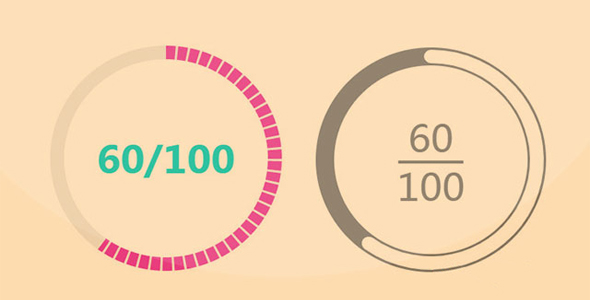
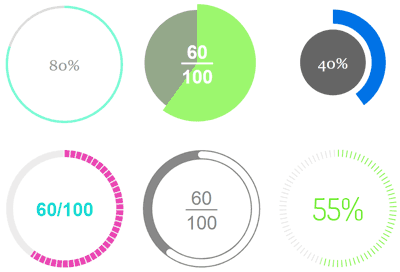
这是一款多种数值显示方式的 jQuery 圆形进度条插件。该圆形进度条可以作为 jquery 插件,也可以作为纯 js 插件来使用。它基于 SVG,内置了多种漂亮的数值和外观显示方式。
使用方法
在页面中引入下面的文件。
也想出现在这里?联系我们吧

<!-- 纯 JavaScript -->
<script src="dist/circle-progress.min.js"></script>
<!-- jQuery插件 -->
<script src="https://code.jquery.com/jquery-3.4.1.min.js"></script>
<script src="dist/jquery.circle-progress.min.js"></script>
HTML 结构
<div class="progress"></div>
初始化插件
// Vanilla JavaScriptnew CircleProgress('.progress', {
max: 100,
value: 50
});
// jQuery$('.progress').circleProgress({
max: 100,
value: 50
});
CSS样式
.circle-progress-svg {
/*width: 200px;height: auto;...*/}.circle-progress-circle {
/*stroke-width: 6px;stroke: hsl(39, 100%, 85%);...*/}.circle-progress-value {
/*stroke-width: 6px;stroke: hsl(39, 100%, 50%);...*/}.circle-progress-text {
/*fill: hsl(39, 100%, 50%);...*/}.circle-progress-text-value {
/*fill: red;...*/}.circle-progress-text-max {
/*fill: red;...*/}
API
设置圆形进度条的数值:
horizontal (horizontal)
vertical
percent
value
valueOnCircle
none
new CircleProgress('.progress', {
textFormat: 'horizontal'
});
自定义圆形进度条的填充动画。
new CircleProgress('.progress', {
// linear, easeInCubic, easeOutCubic, easeInOutCubic, easeInQuadr, easeOutQuadr, easeInOutQuadr or noneanimation: 'easeInOutCubic',
// duration in millisecondsanimationDuration: 600
});
自定义圆形进度条的填充动画。
new CircleProgress('.progress', {
// linear, easeInCubic, easeOutCubic, easeInOutCubic, easeInQuadr, easeOutQuadr, easeInOutQuadr or noneanimation: 'easeInOutCubic',
// duration in millisecondsanimationDuration: 600
});
设置圆形进度条的开始角度。
new CircleProgress('.progress', {
startAngle: 45
});
其它配置参数
new CircleProgress('.progress', {
// min valuemin: 0,
// false = anti-clockwiseclockwise: true,
// whether the value should be constrained between min and maxconstrain: true,
// indeterminate textindeterminateText, '?'
});
Github 网址:https://github.com/tigrr/circle-progress
| 演示地址 | 下载地址 |
专业提供WordPress主题安装、深度汉化、加速优化等各类网站建设服务,详询在线客服!
也想出现在这里?联系我们吧